

What is F2Pool?
F2Pool is a leading mining pool for various cryptocurrencies like Bitcoin, Ethereum, and Litecoin. It provides an interface for miners to contribute their computing power to a collective effort and share the rewards.
Why a Read-Only API?
A read-only API provides the necessary information about your mining activities, such as hash rate, earnings, and worker status, without the ability to make changes. This ensures security while still providing essential monitoring capabilities.
Steps to Create a Read-Only F2Pool API
Step 1: Log in to Your F2Pool Account
Access your F2Pool account by logging in with your credentials. If you don’t have an account yet, you’ll need to create one and set up your mining operation.
Step 2: Access API Management
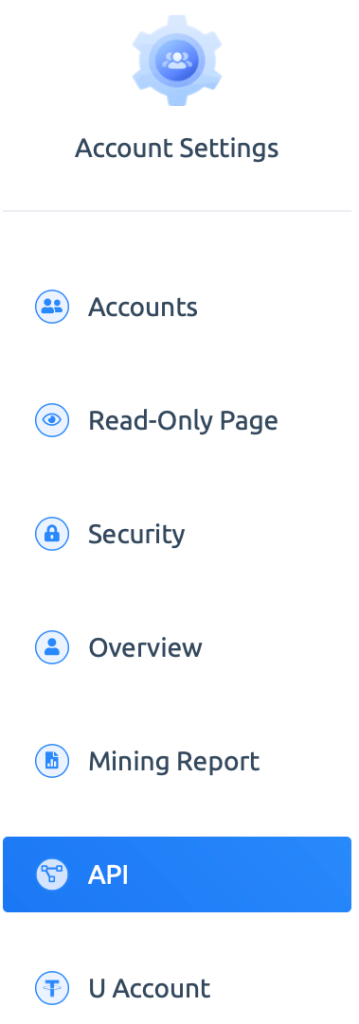
Navigate to the account settings where you can find the API management options.
F2Pool has a dedicated section for API settings.
Step 3: Generate a New API Key
Look for an option to generate a new API key. Click on this to create a new API. During this process, ensure you select the ‘read-only’ option. This restricts the API’s abilities to just retrieving information, not making changes.
Step 4: Configure Your API
You will now need to set the permissions required.
Select the below permissions:
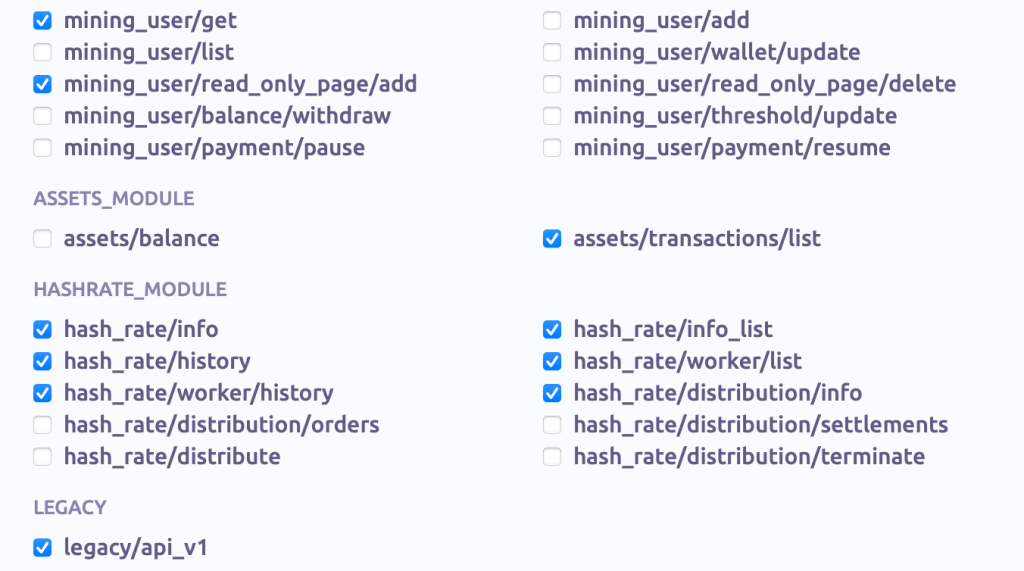
Note: All those permission are read only (ie MineDash won’t be able to make any change to your account, only read statistics.)
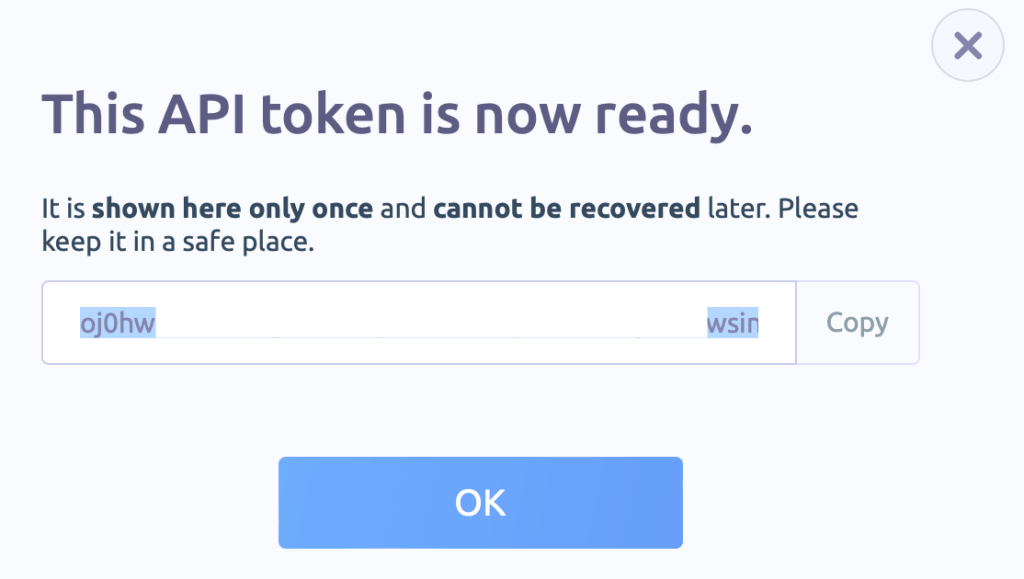
Step 6: Store the Token
With the API key generated, you can now save the token in a secure place. F2pool won’t allow you to access the token from their interface after you save it.
Security Tips
- Keep Your API Key Private: Treat your API key like a password. Never share it publicly.
- Regularly Monitor API Activity: Keep an eye on the API usage to detect any unauthorized or unusual activities.
- Update Your API Key Periodically: For added security, consider changing your API key at regular intervals.
Congratulations, you are all set! 🚀🔒
 MineDash