
Introduction to NiceHash
NiceHash is a popular cryptocurrency platform that enables users to buy and sell computing power for mining various cryptocurrencies. It’s known for its user-friendly interface and efficiency in connecting miners (sellers of hash power) with buyers.
The Importance of a Read-Only API
A read-only API is crucial for users who want to track their mining activities without the risk of unauthorized changes. This type of API allows you to safely monitor your hash rate, earnings, worker status, and other relevant data.
Steps to Create a Read-Only NiceHash API
Step 1: Sign in to Your NiceHash Account
Begin by logging into your NiceHash account. If you’re new to NiceHash, you’ll need to create an account and set up your mining details.
Step 2: Navigate to API Management
Once logged in, find the API section in your account settings or dashboard. NiceHash provides a dedicated area for API management.

Step 3: Generate a New API Key
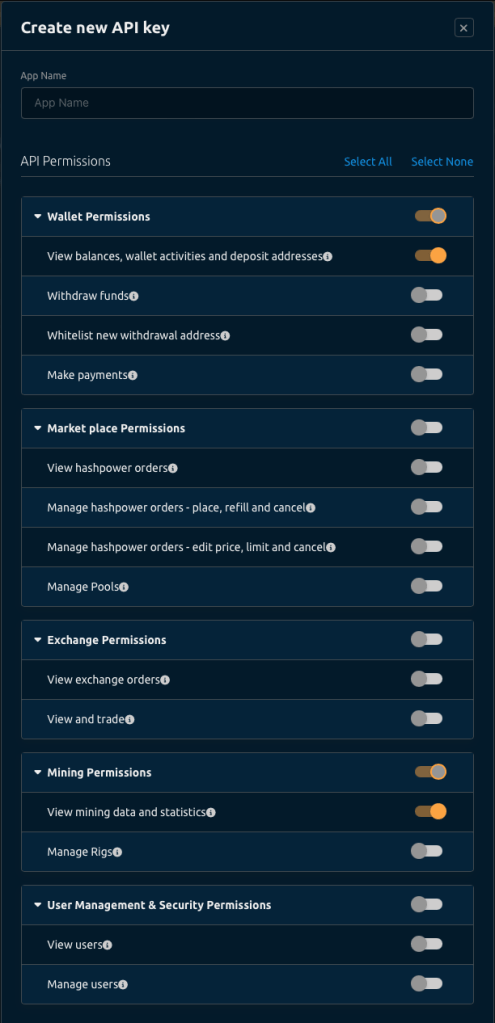
In the API management section, select the option to create a new API key. During this setup, ensure that you choose the ‘read-only’ option. This setting restricts the API to only fetch information and prohibits any modifications.

Step 4: Configure API Settings
After generating your API key, you may have the option to configure its access. Here, you can define what specific data the API key can access. Select the data that is relevant to your monitoring needs.
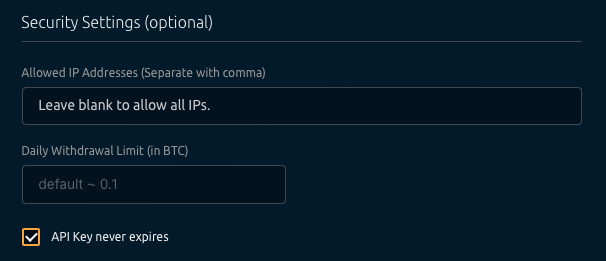
Make sure you select the option “API Key never expires”.
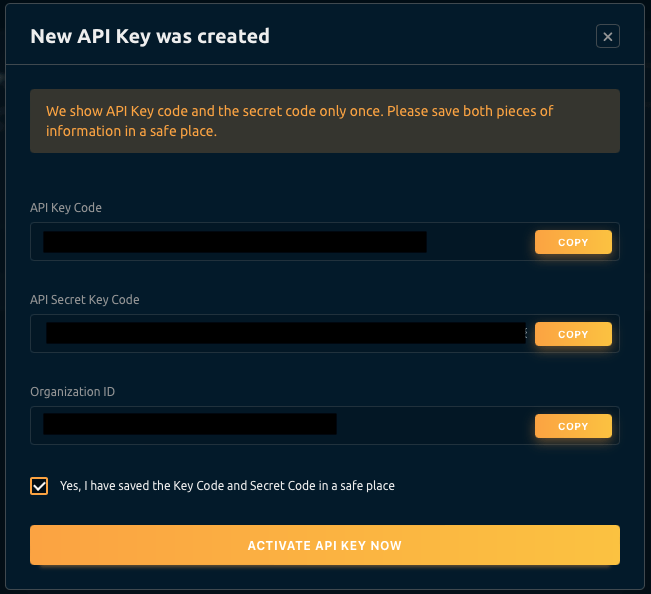
Step 5: Save your keys
Now, with your API key ready, you need to save them in a secure location and use them when creating or configuring your Nicehash mining account on Minedash.

Step 6: Configure Minedash!
That’s it you are ready to add your Nicehash account to Minedash.
Best Practices for API Security
- Keep Your API Key Confidential: Your API key is sensitive information. Ensure it’s kept secure and never shared publicly.
- Monitor API Usage Regularly: Regularly check your API usage for any unauthorized or unusual activities.
- Refresh Your API Key Periodically: Changing your API key regularly can enhance security.
 MineDash